Best USB-C Hubs and Multi-Port Adapters in India (2026)
Your bottom-line top pick is the Anker 341 USB C 7-in-1, which balances everyday ports, solid build quality, and reliable pass-through charging without breaking the bank. If you just want a dead-simple connector for basic accessories, grab the UGREEN Revodok 105 5-in-1 USB-C instead.
Who should buy
- Remote workers and students needing wired mice and keyboards
- Tablet owners with only a single USB-C port
- Shoppers who want reliable power delivery pass-through charging
- Anyone tired of carrying separate display and card adapters
Who should skip
- Video editors requiring multiple high-refresh-rate 4K displays
- Desk setups needing advanced Thunderbolt connectivity
- People who refuse to carry a slightly heavier dongle
- Shoppers looking for super-cheap USB 2.0-only splitters
Anker 341 USB C 7-in-1
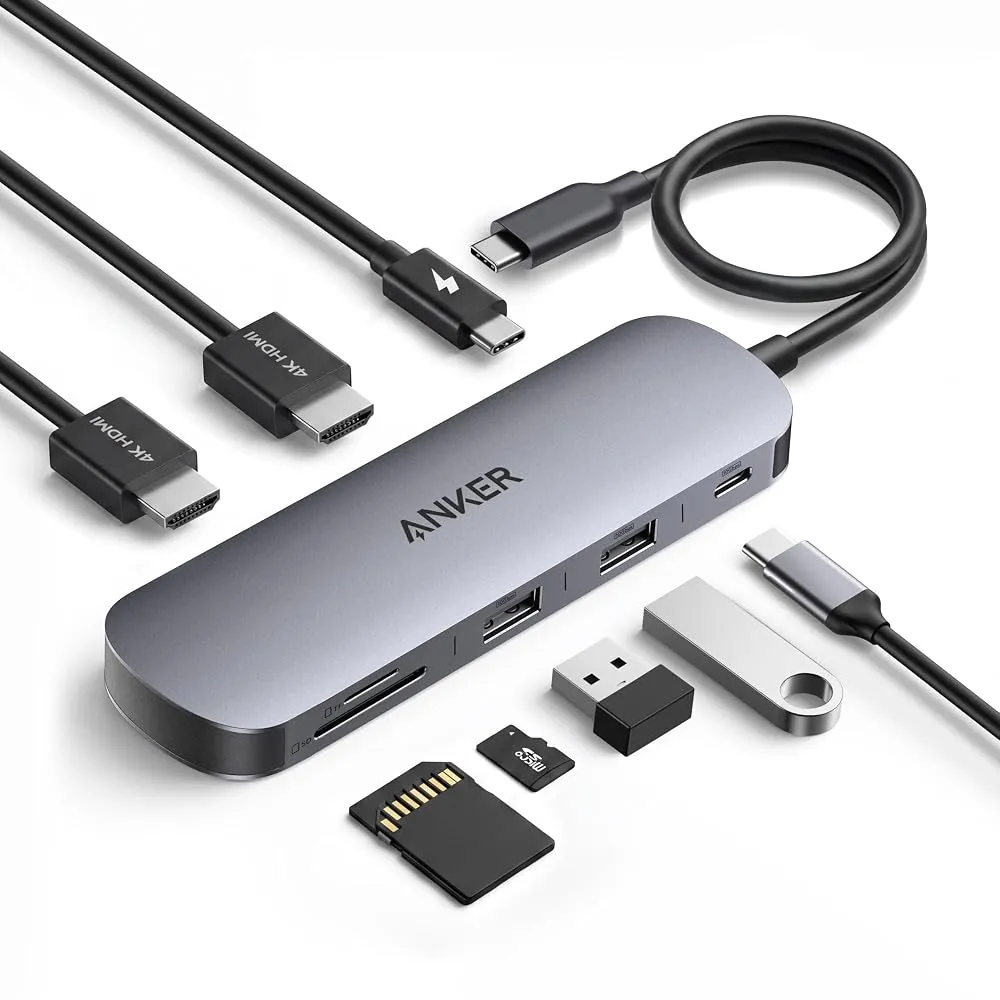
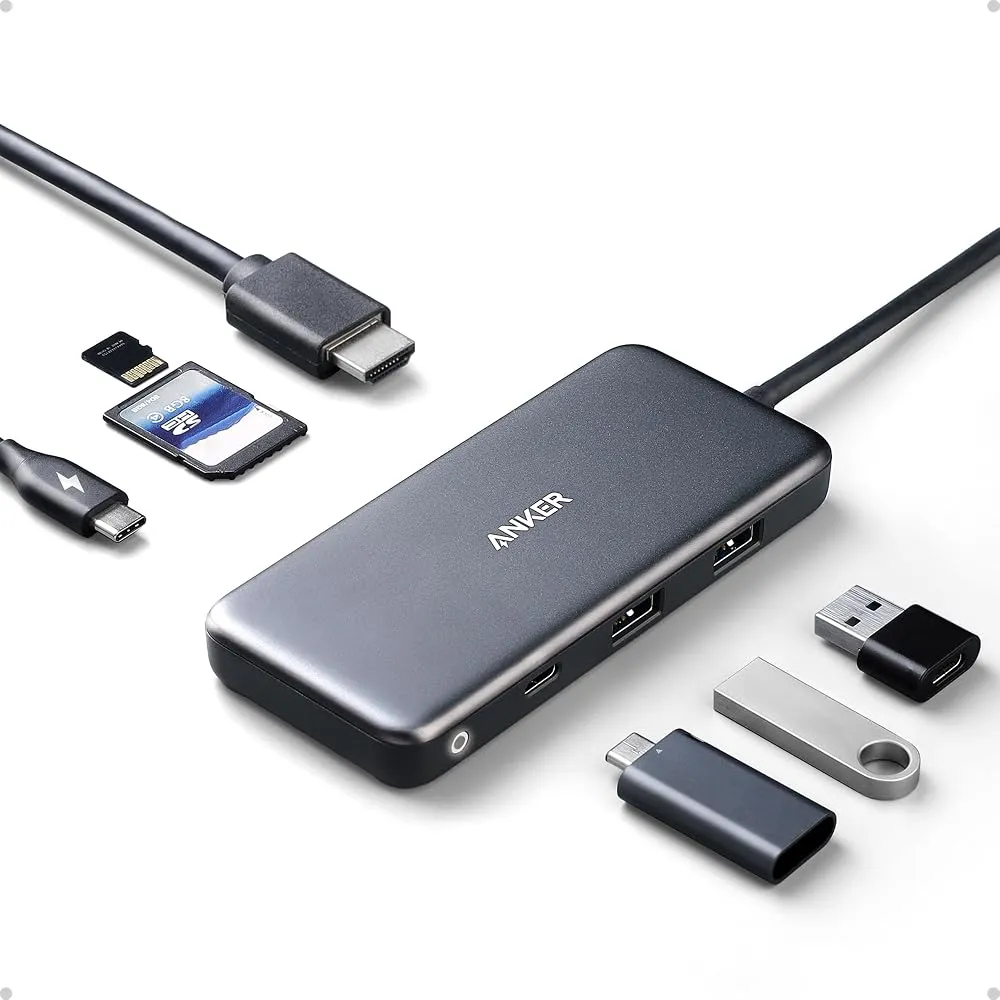
The Anker 341 USB C 7-in-1 is our top can't-go-wrong USB-C hub for home office workers, students, and occasional travelers because it has all the common ports most people need. It has two USB-A ports for connecting to wired accessories like keyboards or mice, as well as a USB-C data port. This USB-C option is handy because you do not have to sacrifice a USB-C port in your laptop or tablet just to use the hub. Anker leaves out super-slow USB 2.0 ports entirely, meaning you can plug in any thumb or flash drive and enjoy quick data access. The pass-through power port is strong enough to charge most laptops, and it shines when paired with an iPad that only features a single port.
On the downside, this is one of the heavier hubs tested, making it slightly bulky if you prefer ultra-light travel accessories. More affordable options are also available if you only need basic connections. This is best for students and home professionals who want reliable everyday performance, but frequent flyers wanting absolute minimalism should look elsewhere.
Anker 555 8-in-1 USB-C
Can a USB-C hub feel elegant? This one does. Anker's 8-in-1 USB-C hub feels surprisingly weighty at 4.5 ounces, with a premium metallic aluminum and polycarbonate sheen that keeps the device cool during heavy workloads. It features adequate spacing between its two 5Gbps USB-A ports, a 5Gbps USB-C data connection, a second USB-C port for power input up to an 85W rating, plus an SD card slot and a microSD card slot alongside an Ethernet port. Most users will easily take advantage of these standard ports for legacy mice, keyboards, HDMI, and wired internet.
However, the 4K video output is limited to just 30Hz, which can feel stuttery if you are moving windows around a lot. If you are looking for multiple high-refresh display ports or extra USB-C connections, you will need to buy a more premium device. Pick this if you specifically need an Ethernet port in a sturdy metal chassis, but skip it if high-refresh 4K video is a priority.
UGREEN Revodok 105 5-in-1 USB-C
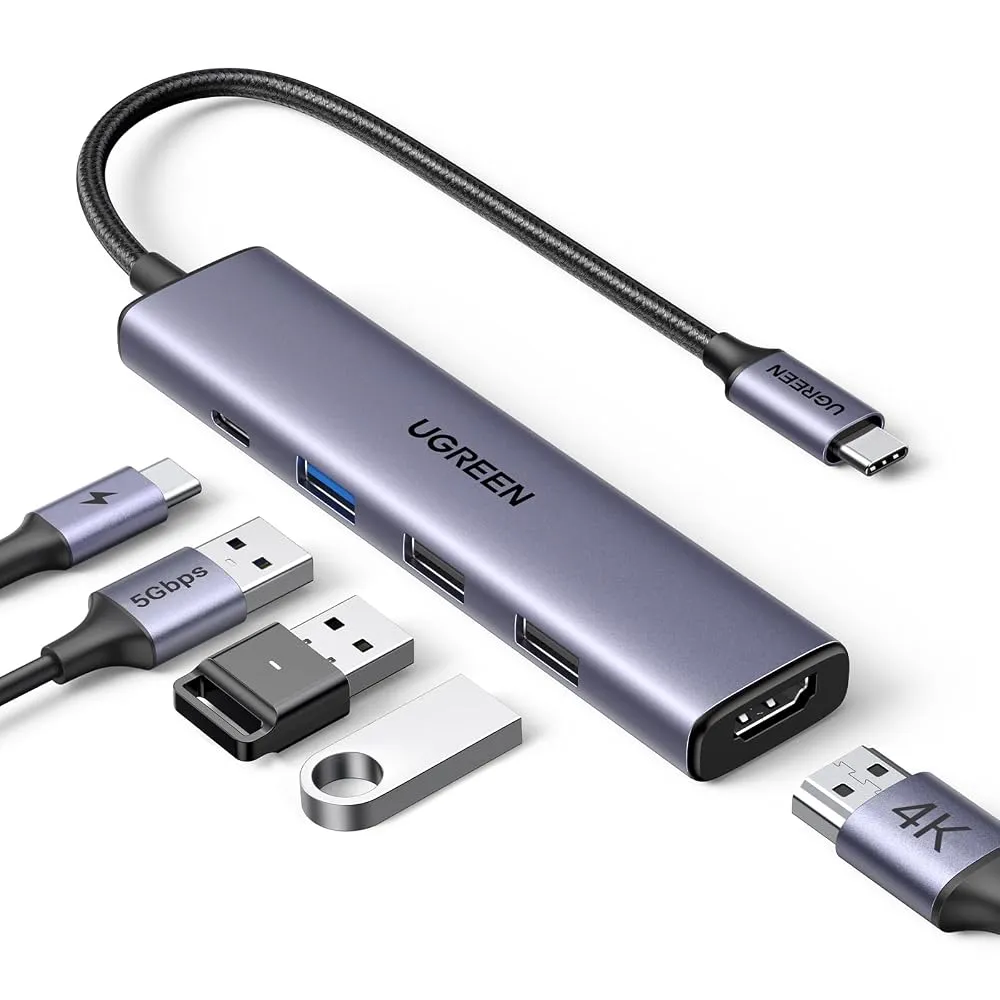
The UGREEN Revodok 105 5-in-1 USB-C is the best affordable hub for attaching USB-A storage drives and accessories. Unlike cheap USB-C to USB-A adapters that only give you sluggish USB 2.0 speeds, this hub includes a fast 5 Gbps USB 3.0 A-type port alongside its two slower ports. It comes wrapped in a rugged aluminum enclosure and includes an HDMI port for video output, keeping its design simple and pocket-friendly for daily commutes.
The main annoyance is that the ports are not labeled with text to show their speeds, meaning the blue port is the only visual clue for your fast data drives. It also lacks SD card slots, a dedicated USB-C data port, and extra high-speed USB-A connections. Get this if you are on a tight budget and only need basic storage access, but avoid it if you shoot photos on dedicated cameras and need built-in card readers.
Ugreen Revodok Pro 6-in-1 USB-C Hub
The Ugreen Revodok Pro 6-in-1 USB-C Hub offers a pair of USB-C and USB-A ports along with crisp 4K 60 Hz monitor output and a two-year warranty at a great price. Its two USB-C and two USB-A ports support speedy 10 Gbps transfer speeds, and its HDMI port supports 4K video at up to 60 Hz so you can connect a TV or external monitor without stuttery video playback. The slim design and metal enclosure add a nice touch of durability to your desk bag.
On the flip side, do not expect great customer support if things go sideways, and the hub completely sacrifices SD card, microSD card, and Ethernet connectivity. This is ideal for minimalists who want fast 10 Gbps file transfers and smooth 60Hz video without paying for card readers they never use. Anyone needing wired networking should pass.
Baseus Dual Monitor 10-in-1 Docking Station
The Baseus Dual Monitor 10-in-1 Docking Station is the USB hub that ticks all the boxes, featuring a wide range of ports, strong performance, and smart design touches like a holster for the built-in USB-C cable and a system lock button. It supports 10 Gbps transfer speeds for both USB-C and USB-A connections, alongside 4K display output at 120 Hz or 60 Hz with a Mac. With a Windows PC, it can even extend the desktop onto a pair of external monitors, backed by a two-year warranty.
Despite its stellar port selection, it demands an up-to-date laptop to get the absolute best results, and the price tag is much higher than basic dongles. This is meant for power users and desktop warriors running dual monitors and heavy storage arrays, but casual couch users will find it entirely overkill.
How to choose a USB-C hub
Choosing the right USB-C hub starts with matching your port needs to your daily workflow. If you primarily work from a laptop with limited ports, look at how many legacy USB-A accessories you actually plug in. Many shoppers make the mistake of buying cheap hubs without checking data speeds, ending up stuck with slow USB 2.0 ports that crawl when transferring large photo libraries or video files. Pay close attention to video output specifications as well, since cheaper models cap 4K resolution at 30Hz, creating a choppy desktop experience.
Another major factor is power delivery. Make sure your hub supports pass-through charging if you want to juice up your laptop or tablet through a single cable without occupying an extra wall charger slot. Think about whether you need physical extras like SD card readers for cameras or an Ethernet port for stable wired internet. Skipping features you do not use saves money, but buying a stripped-down adapter when you need card slots will only force you to buy a second accessory later.
The Verdict
For most Indian shoppers looking to expand their laptop or tablet ports, the Anker 341 USB C 7-in-1 remains the smartest purchase thanks to its lack of slow ports and reliable everyday layout. If your budget is tighter and you only need basic connectivity for thumb drives and a monitor, grab the UGREEN Revodok 105 5-in-1 USB-C.