Best Graphic Tablets for Digital Artists in India (2026)
Your bottom-line top pick is the Wacom Intuos Pro, an industry standard that delivers unmatched precision and reliability for anyone serious about digital illustration. If you need a premium drawing setup that connects effortlessly to your computer and handles heavy software without stuttering, this is the hardware you want on your desk.
Who should buy
- Professional digital illustrators and comic artists who demand high pen pressure sensitivity.
- Designers who want fully customizable physical shortcut keys for faster workflows.
- Artists who rely on multi-touch gesture controls alongside their stylus.
- Anyone seeking a robust, long-lasting device from a trusted brand.
Who should skip
- Absolute beginners on a tight budget who only want to test the waters.
- Artists who prefer drawing directly onto a built-in screen rather than a separate monitor.
- Shoppers looking for a cheap, plastic-feeling toy with minimal features.
- Anyone who needs a standalone tablet computer that operates without a PC.
Wacom Intuos Pro
The Wacom Intuos Pro stands out because it combines a solid black anodised aluminium and fibreglass composite resin body with exceptional stylus performance. Wacom updated the design by moving the Express Keys from the side to the top of the device, which keeps your desk tidy and works equally well for left-handed and right-handed users. The included Wacom Pro Pen 3 features 8,192 levels of pressure sensitivity and a very low initial activation force of 1g, letting you catch the lightest hair-strokes without jamming down hard. It supports Bluetooth for wireless use and features multi-touch capabilities for navigating your canvas using fingers and pen simultaneously.
The main weakness of this tablet is the price tag, as it costs significantly more than competing entry-level bundles without throwing in multiple stylus styles out of the box. You only get Wacom's traditional thicker pen unless you purchase alternatives separately. Skip this if you are a casual hobbyist who only draws on weekends, but buy it if you earn a living from your digital art and need hardware that will not let you down.
Samsung Galaxy Tab S11 Ultra
The Samsung Galaxy Tab S11 Ultra takes the crown if you want a massive standalone tablet that functions as a portable computer and drawing pad rolled into one. Powered by a MediaTek Dimensity 9400+ processor and paired with 12GB or 16GB of RAM, this device handles demanding art apps natively without needing a desktop machine. The stunning 14.6-inch AMOLED display runs at 120Hz and features an anti-reflective finish that makes sketching outdoors or in bright rooms comfortable on the eyes. It comes with the redesigned S Pen included in the box, offering crisp pressure response right away.
This tablet is undeniably expensive and the massive 14.6-inch screen might feel unwieldy if you prefer a compact sketchbook feel on your lap. It is built for professional illustrators who travel frequently or want a secondary entertainment hub for streaming movies on that giant screen. Do not buy this if you already own a powerful PC and only need a basic desktop drawing tablet.
Wacom Intuos S with Bluetooth
The Wacom Intuos S with Bluetooth is a fantastic entry point for students and hobbyists who want proper Wacom build quality without spending a fortune. It features an active drawing area of 152.0 x 95.0mm, a battery-free pen with 4,096 levels of pressure sensitivity, and wireless connectivity to clear cables off your desk. It fits nicely into a backpack alongside a laptop and connects smoothly to Windows, Mac, and select Android devices via USB OTG adapters.
The lower 4,096 pressure levels lack the extreme nuance of the Pro series, and the smaller drawing surface requires you to zoom in and out more frequently when working on detailed fine art. Buy this if you are a beginner stepping up from a computer mouse, but skip it if you are an advanced professional needing deep tilt and pressure graduation.
Wacom One 12
The Wacom One 12 is a brilliant pen display that lets you draw directly on a screen by plugging into a compatible computer, laptop, or even select Android phones and tablets using USB-C and a desktop mode like Samsung Dex. It features a bright 12-inch full HD LCD display and comes with built-in physical legs to prop it up at a comfortable sketching angle. The included pen is precise and comfortable, making it a wonderful transition tool for artists who want screen-based drawing without paying for a standalone computer.
The unit is a bit bulky with a weight of 680g and thicker bezels compared to ultra-slim modern tablets. This is built for students and developing artists who want to draw directly under the nib without breaking the bank, but skip it if you require a high-resolution 4K canvas.
OnePlus Pad 3
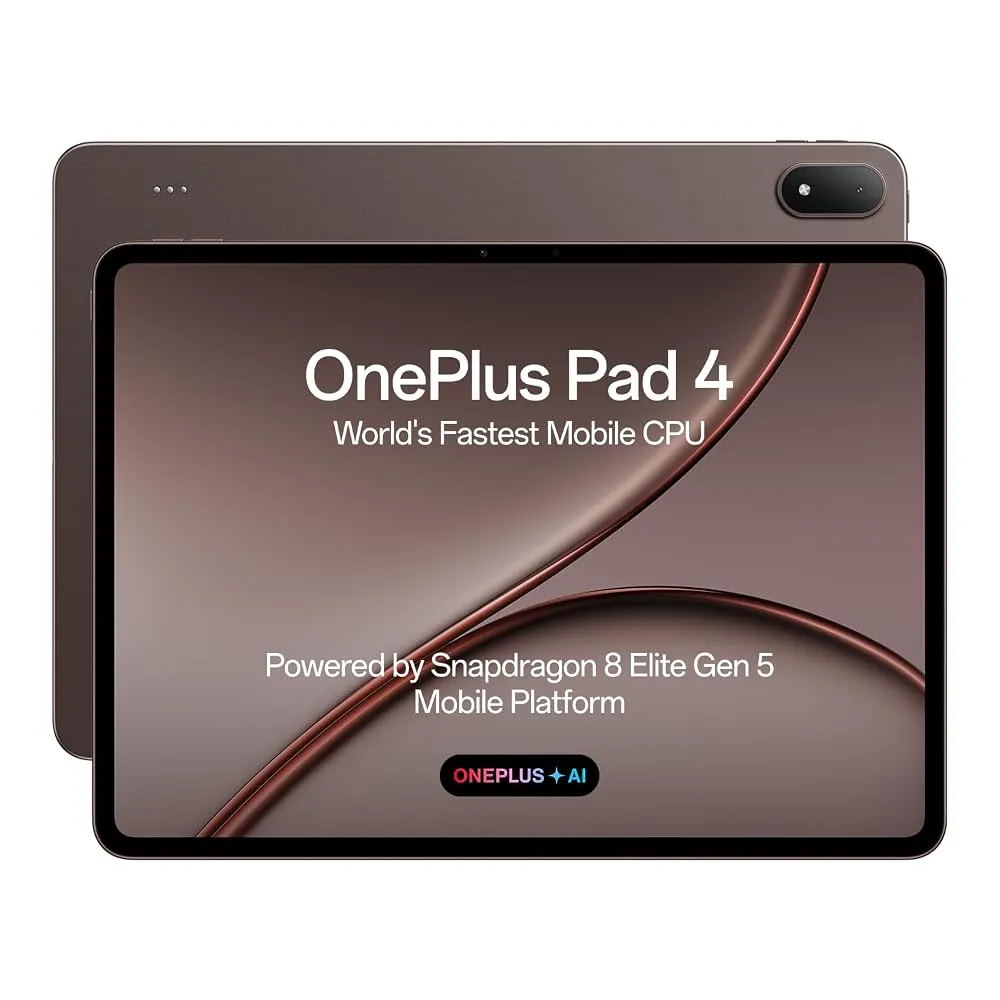
The OnePlus Pad 3 provides stellar performance as a high-end Android drawing tablet driven by the Snapdragon 8 Elite chipset and a buttery 144Hz display. It supports the OnePlus Stylo 2 stylus, offering great response times and fluidity when sketching in mobile art packages. The massive 12,140mAh battery keeps you drawing through long studio sessions away from wall outlets, and the overall build feels sleek and premium in the hand.
Being an Android slate, it relies on mobile operating systems rather than full desktop software suites like heavy Photoshop builds, which might limit pipeline integration for some studio artists. Buy this if you want flagship speed on a slightly tamer budget than top-tier Apple or Samsung alternatives, but skip it if your workflow strictly requires Windows desktop binaries.
How to Choose a Graphic Tablet
Choosing the right drawing tablet starts with deciding whether you need a basic pen tablet, a pen display with a screen, or a standalone tablet computer. Beginners often make the mistake of buying oversized devices that consume their entire desk or choosing cheap no-name brands with awful drivers that disconnect mid-stroke. Look closely at the active drawing area, as cramped spaces force endless scrolling. Check the pen pressure levels and activation force, because a heavy pen requires unnatural hand pressure that ruins long drawing sessions.
Another common pitfall involves ignoring software compatibility and connectivity requirements. If you already own a fast desktop PC, buying a pen tablet or pen display that hooks straight into your computer gives you maximum processing power for a lower price. If you prefer sketching while sitting on a couch or traveling in a train, a standalone Android tablet removes all cable clutter. Always verify whether the stylus comes included in the box or requires an extra separate purchase so you do not get caught by hidden costs.
Verdict
For the ultimate digital art setup, the Wacom Intuos Pro remains our top recommendation for professionals who demand flawless tracking and tactile shortcut controls. If you want to spend less while still getting a reliable brand experience for learning digital illustration, grab the Wacom Intuos S with Bluetooth as your trusty budget alternative.