Best External Monitors for Graphic Design and Coding in India (2026)
For most creative professionals and coders, the BenQ PD2730S is the best monitor you can buy right now. It delivers a stunning 5K resolution that makes text incredibly sharp for coding and provides the pixel density designers need to zoom into fine details without losing clarity. Its factory calibration is spot-on out of the box, covering 98% of the DCI-P3 color space, which means what you see is what you get.
Who should buy
- Graphic designers needing high color accuracy and wide gamut support.
- Programmers who want to display multiple code windows side by side.
- Users who rely on Thunderbolt 4 for single-cable laptop charging and data.
Who should skip
- Users who prioritize premium metal chassis over performance, as the backing is plastic.
- Those who need high peak brightness for intense HDR gaming.
- Budget shoppers looking for a basic display under 20,000 INR.
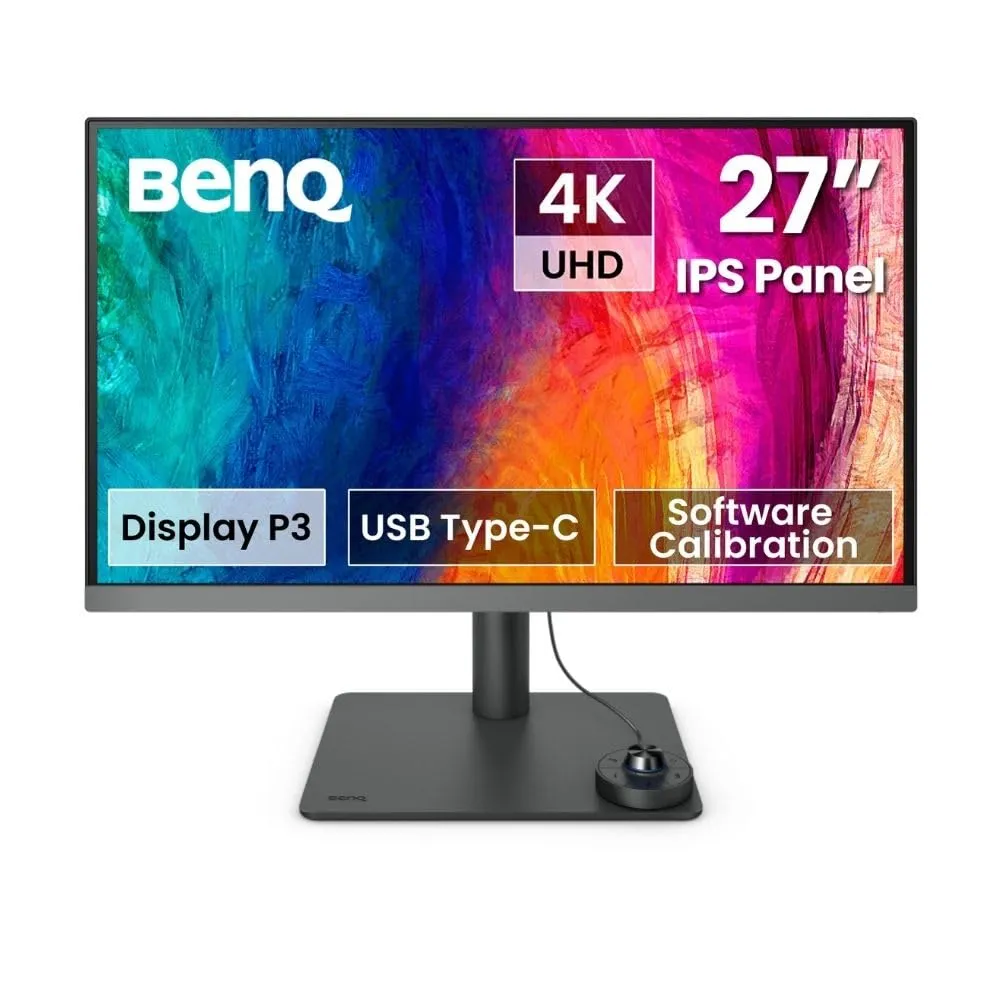
BenQ PD2730S
This monitor is a workhorse for anyone serious about digital output. The 5K resolution on a 27-inch panel results in 218 pixels per inch, which effectively eliminates text aliasing and makes code look crisp for long development sessions. The inclusion of a wireless control puck is a genuine time-saver, allowing you to toggle between color modes or inputs without fumbling with awkward OSD buttons under the frame.
The main trade-off here is the build quality of the rear housing, which feels a bit cheaper than what you find on an Apple Studio Display. Additionally, its peak brightness of 400 nits is fine for office environments but might struggle in a room flooded with direct sunlight. If you are a professional who spends eight hours a day in design software or an IDE, this is the tool to get.
HP Omen Transcend 32 OLED
If you want a monitor that handles high-end gaming as well as it handles professional color work, the HP Omen Transcend 32 OLED is a dual-threat powerhouse. The OLED panel provides contrast ratios that IPS screens simply cannot touch, making it a fantastic choice for video editors working with dark footage or gamers who want deep, inky blacks. It is a true 4K display with excellent color range, giving you that vibrant pop that makes creative projects stand out.
However, this monitor is expensive, and it comes with a massive power brick that adds clutter to your desk setup. It is definitely overkill if you are strictly doing text-based coding or simple office tasks. This is a purchase for someone who values entertainment as much as productivity and has the budget to pay for the OLED premium.
AOC Graphic Pro U32U3CV
When you need a large screen without the professional-tier price tag, the AOC Graphic Pro U32U3CV is an impressive budget-friendly contender. It offers a massive 32-inch workspace, which is perfect for keeping your design assets, Slack, and code editors open simultaneously. It supports a wide array of color spaces, including Adobe RGB and DCI-P3, making it surprisingly capable for print design work on a budget.
The downside is that at 32 inches, the pixel density is lower than the BenQ PD2730S, so text might look slightly less refined if you sit very close. The menu navigation can also be a bit finicky compared to the smoother experiences offered by more expensive brands. It is ideal for freelancers who need a big canvas for multi-tasking but cannot justify spending a month's rent on a display.
BenQ GW2486TC
For those just starting out or working in a secondary home office, the BenQ GW2486TC is the best budget-friendly option. It is a 1080p IPS monitor that prioritizes ergonomics, featuring a stand that supports height, tilt, and pivot adjustments. Having a screen you can rotate into portrait mode is a massive help for coding, as you can read long functions without scrolling constantly.
The trade-off is the resolution; 1080p is starting to feel dated in 2026, and the brightness levels are modest. It is not suitable for high-end color grading or professional print design. This is a basic, reliable monitor for someone who wants a solid, flicker-free display for emails, web browsing, and writing code without breaking the bank.
How to choose
When shopping for a monitor, your priority should be the panel type. Always aim for an IPS panel because they provide the best color consistency and viewing angles. If you are a coder, prioritize resolution and screen size, as having more screen real estate allows you to view more lines of code at once. If you are a designer, color coverage like sRGB or Adobe RGB is the non-negotiable metric you must check on the spec sheet.
A common mistake is ignoring connectivity. If you use a laptop, look for monitors with USB-C or Thunderbolt 3/4 support, which allows you to charge your laptop and transfer data through one cable. Avoid monitors with TN panels, as they suffer from color shifting, which will ruin your work the moment you tilt your head. Also, do not overspend on high refresh rates if you are not a gamer; 60Hz is perfectly fine for design and coding work.
Verdict: The BenQ PD2730S remains the best investment for a professional setup, providing the perfect balance of resolution and color accuracy. If you are on a strict budget, the BenQ GW2486TC is the best value choice to get your home office running properly.